Docs
Reports
Where your money actually stands: what's overdue and by how long, and where your revenue has been coming from.
How to view reports
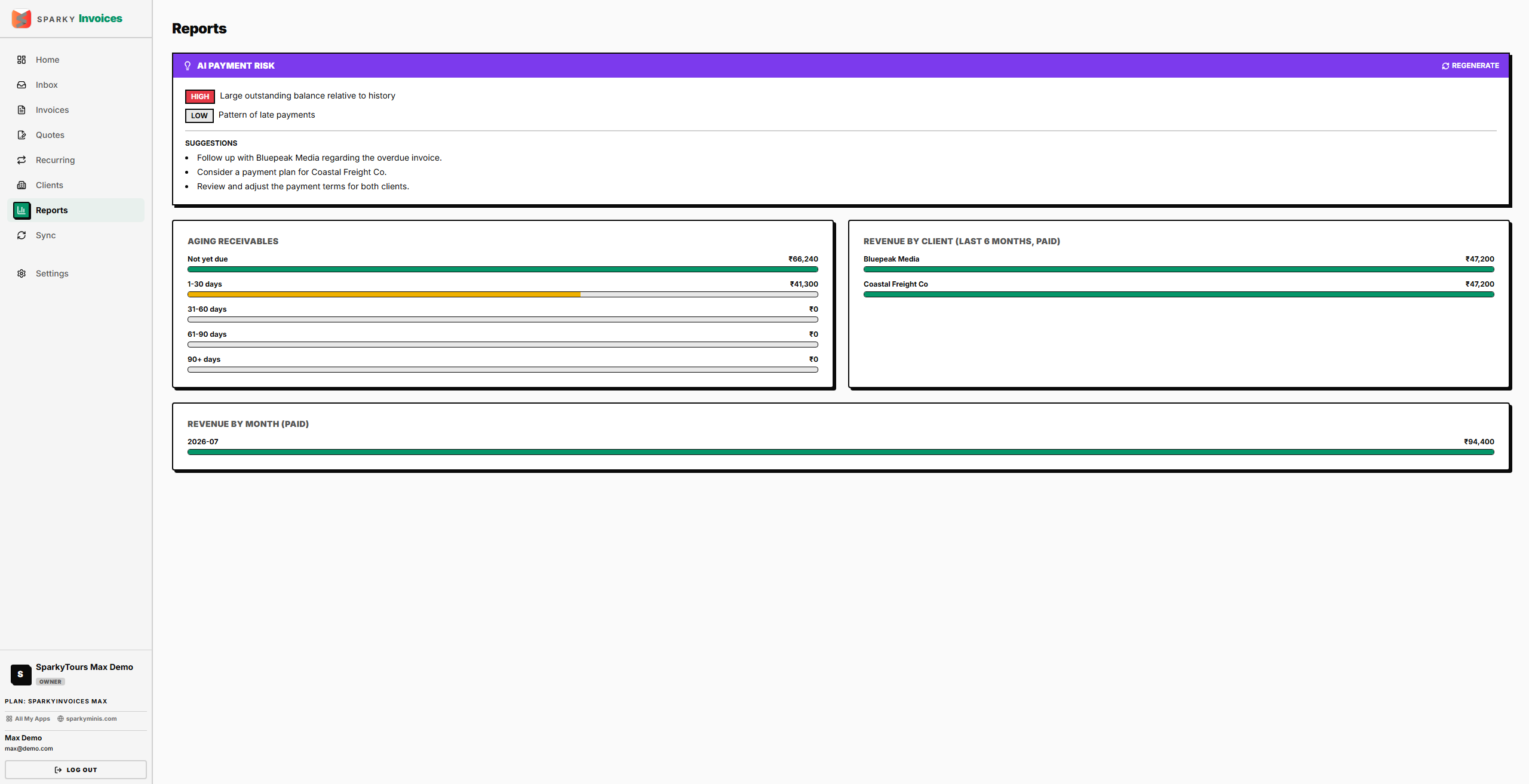
Open Reports from the sidebar. You'll see an aging summary (how much is outstanding, broken into Current, 1-30, 31-60, 61-90, and 90+ days overdue), your top revenue-generating clients over the last 6 months, and revenue by month.
If your plan doesn't include Reports, the page loads but shows no data — upgrade to unlock it.
How to check payment risk across your clients (AI, Max)
If your plan includes it, generate an AI analysis that reviews each client's recent invoice and payment history and flags credit risk, with a severity and a suggested next step for each. This is available on the Max plan.